
How to check your WASSCE results – Step-by-Step guide
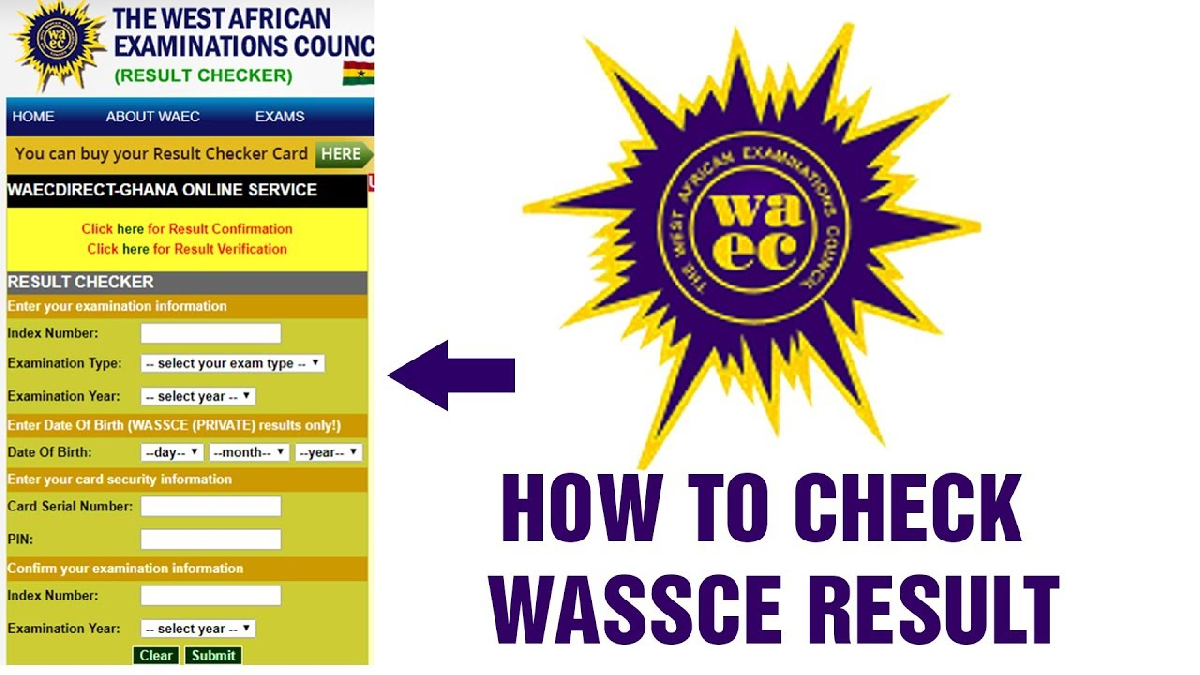
Checking your WASSCE results online is now a streamlined process, but it’s important to follow the correct steps and use legitimate platforms to avoid errors or fraud. Below is a comprehensive guide to help you navigate the process smoothly.
1. Purchase a WAEC Results-Checker Voucher (e-Voucher)
To view your WASSCE results, you first need a Results-Checker e-Voucher, which comes with a serial number and a PIN. These two components are essential for accessing your result slip online. You can acquire the voucher in several ways:
● Via USSD
In Ghana, you can buy the voucher by dialling *899*550# on your phone.
● Online
There are authorised platforms like ResultsChecker.com.gh and other trusted websites where you can pay via mobile money (MTN, Vodafone, AirtelTigo) or card.
● Physical Outlets
You may also find official WAEC voucher cards at selected post offices or WAEC district offices.
When you complete the purchase, ensure you receive both the serial number and the PIN (usually a 12-digit code) via SMS or email, depending on the vendor.
2. Visit the Official WAEC Results Portal
Once you have your e-voucher details, open a browser on your phone or computer and navigate to WAEC’s official checking portal:
https://ghana.waecdirect.org/
This is a trusted and legitimate site to check WASSCE (and other WAEC) results—avoid third-party links that may be fraudulent.
3. Enter Your Examination Information
On the WAEC Direct result-checking page, you’ll need to accurately fill out some details:
READ MORE: NHIA pays GH¢281.66m claims to health facilities
● Index Number
Your 9- or 10-digit WAEC index number.
● Examination Type
Select WASSCE (School) or WASSCE (Private), depending on what you took.
● Examination Year
Choose the year you sat the exam.
● Date of Birth
This is required for private WASSCE (depending on the portal version) to verify identity.
● Voucher Serial Number
Enter the serial number from your e-voucher.
● PIN
Input your 12-digit PIN exactly as given.
Be sure to double-check every detail before submitting — mistakes in any field can prevent successful result retrieval.
4. Submit and View Your Results
After verifying all your inputs, press the Submit button.
The system may take a few seconds to process your request. Once processing is complete, your WAEC result slip for WASSCE will be displayed, showing subject grades and overall performance.
5. Save or Print Your Result Slip
When the results load, it's highly advisable to print the result slip or save it as a PDF. This ensures you have a digital or hardcopy version that can be used for school admissions, job applications, or other verification purposes.
READ MORE: Kylian Mbappe believes 2026 could be his year to win the Ballon d'Or
6. Troubleshooting & Important Tips
● Incorrect PIN or Serial Number
If you get an error, re-enter the details carefully. Sometimes a typo causes the problem.
● Voucher Usage Limits
Some sources indicate that one e-voucher can be used multiple times (e.g., up to 5 cheques) for the same index.
● Website Traffic/Errors
If the portal is unresponsive or shows “No result”, try again later — it might be due to high traffic.
● Result Withheld or Pending
Sometimes, results are delayed or withheld for investigation. In such cases, you may need to reach out to WAEC for clarification.
● Verification for Institutions
If you want to verify your WAEC certificate (for university or employer), WAEC Ghana provides a verification service.
7. Security Precautions
● Keep Your PIN and Serial Number Safe
Treat them like sensitive credentials — don’t share them with strangers.
● Use Official Platforms Only
Always check through ghana.waecdirect.org or other WAEC-verified services.
● Avoid Fraudulent Vendors
When buying the checker card, ensure you're dealing with reputable sellers to avoid scams.
By following this updated, step-by-step guide, you should be able to check your WASSCE results quickly, securely, and reliably.
Edem Kwame
Chief Editor
Edem Kwame is a staff journalist at GH News Media, where he covers sports, politics, news and current affairs with a sharp focus on Ghanaian and African football.